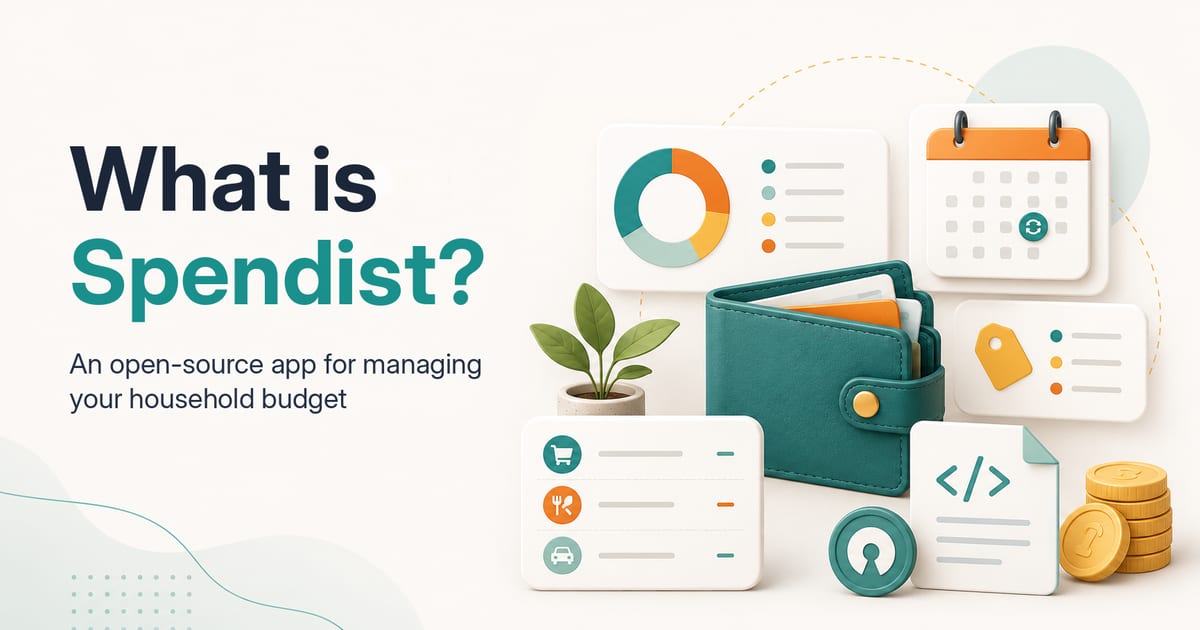
Small purchases, monthly bills, several subscriptions, an annual renewal and income arriving in different accounts may all seem manageable on their own. Together, they can create a financial picture that is surprisingly difficult to follow.
Spendist is an open-source personal finance app designed primarily to help people manage a household budget. It brings income, expenses, recurring payments, wallets, categories and data transfers into one focused workspace.
Spendist does not promise to fix your finances automatically. It gives you the tools to understand where your money goes and identify the areas that may need attention.
Spendist is open source
The Spendist source code is publicly available in the project’s GitHub repository under the GNU GPLv3 licence.
You can inspect how the application works, review the code, report a problem, suggest an improvement or develop your own version under the terms of the licence.
This also means that Spendist is not a closed service that must always be hosted by one provider. Anyone with the necessary technical knowledge can download the source code and deploy it on their own infrastructure.
Self-hosting currently requires configuration of the application, database, authentication and scheduled jobs. It is not a one-click installer, so this option is aimed mainly at technical users and organisations that want greater control over their environment.
What can Spendist do today?
The current Spendist feature documentation covers the journey from recording one purchase to reviewing cash flow and exporting financial data.
1. Record income and expenses
Transactions are the core records in Spendist. Each transaction can contain:
a date,
an amount and currency,
a description,
an income or expense direction,
a wallet,
a category,
optional tags,
an optional place or merchant.
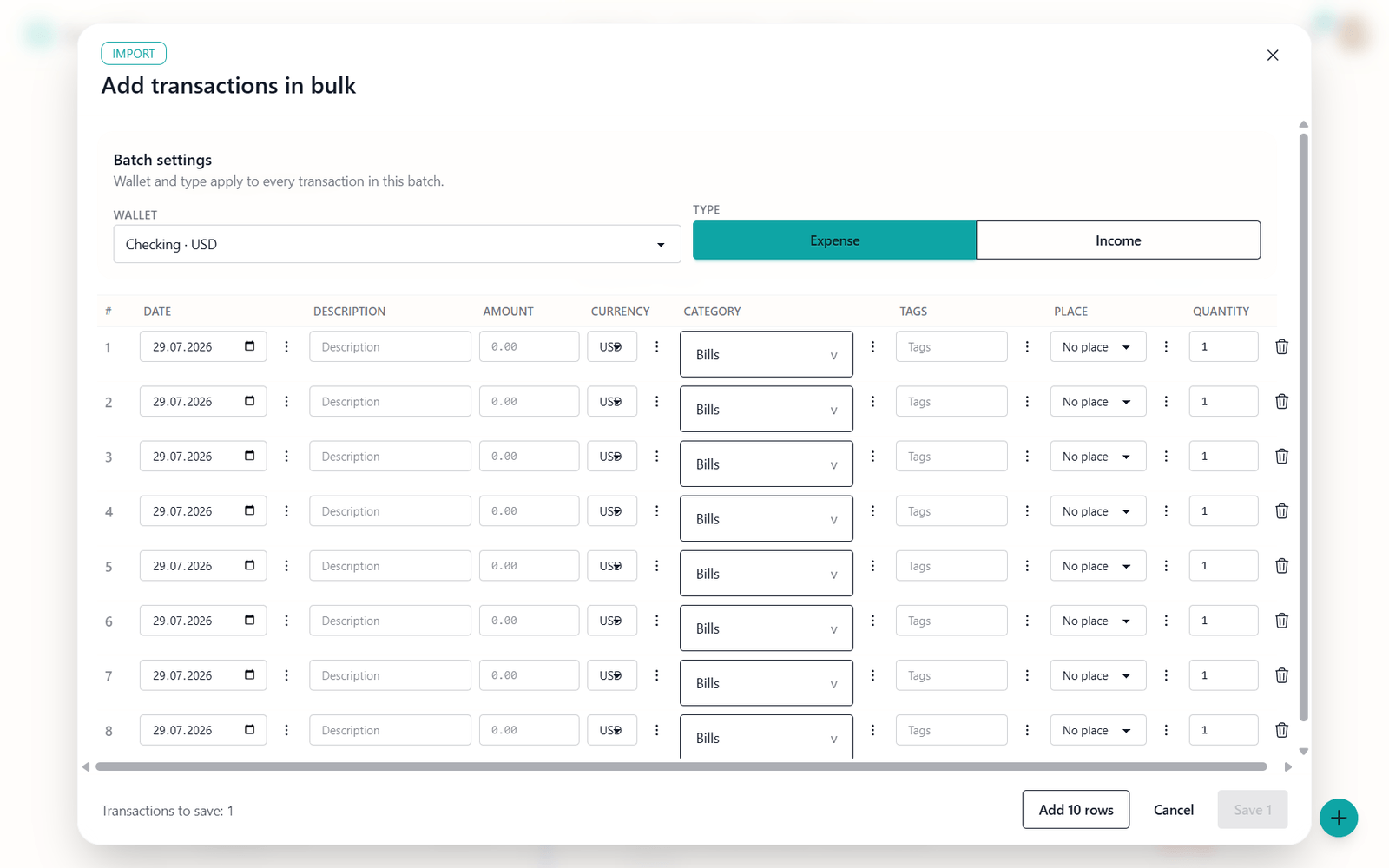
You can create, edit, duplicate and delete individual transactions. Bulk entry makes it possible to add several records at once, including rows pasted from tabular clipboard data and validated before saving.
The transaction list supports search, sorting and filters for dates, amounts, categories, tags, wallets and recurring sources. Quick period presets cover the current or previous month and year.
2. Review your household budget dashboard
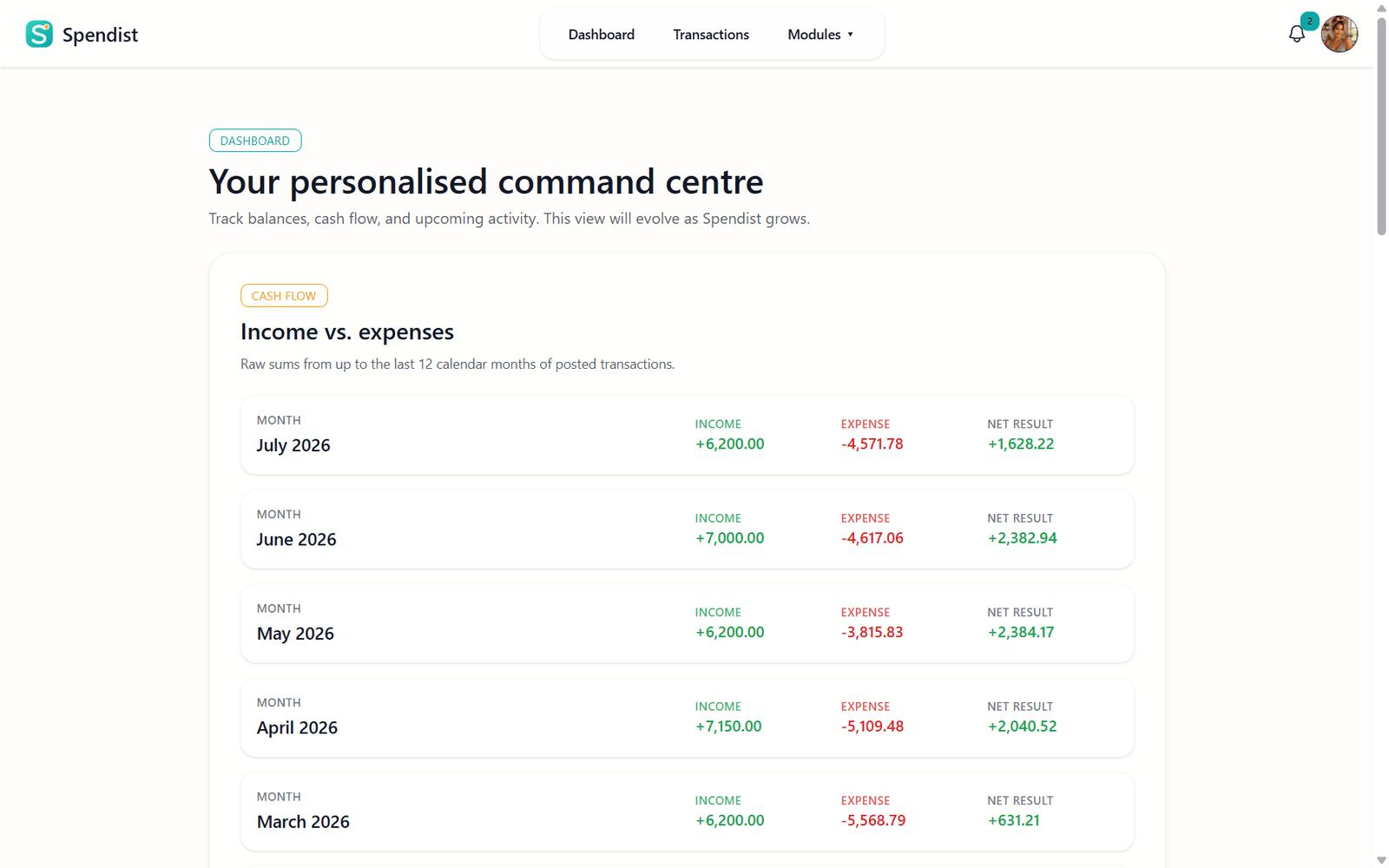
The dashboard brings the most important information into one view. It includes:
income, expenses and net cash flow for up to the last 12 calendar months,
category and tag summaries for a selected month,
transactions generated by recurring records,
annual spending summaries for saved places,
recent financial activity.
A wallet selection can be used to narrow the displayed data. The dashboard reports transactions already stored in Spendist. It does not forecast investments or recommend financial actions.
3. Track recurring payments
Subscriptions, utility bills, insurance and other regular costs can remain unnoticed for months. A single charge may be small, but several forgotten commitments can create a meaningful leak in a household budget.
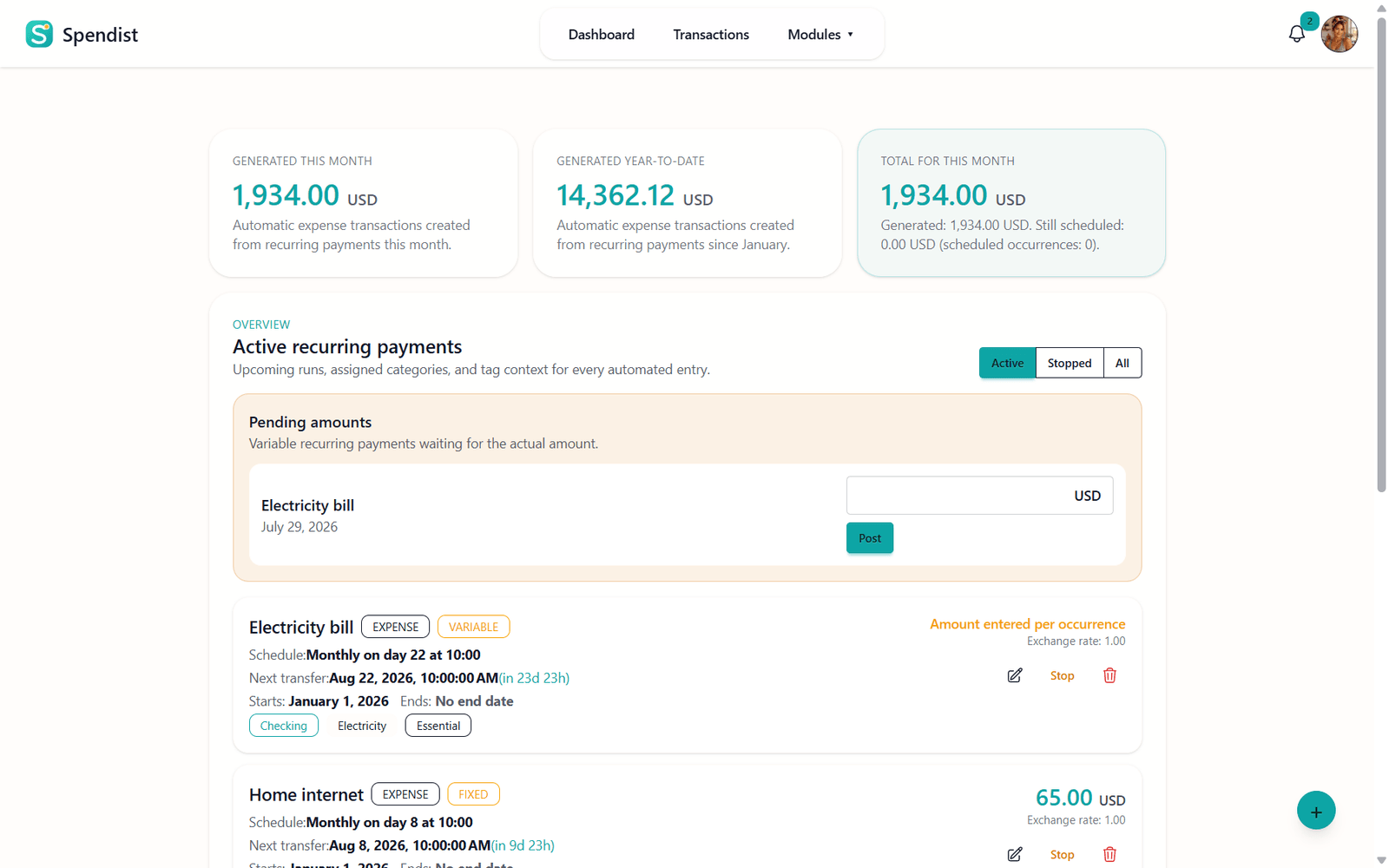
Spendist lets you record recurring income and expenses with:
a fixed or variable amount,
a schedule,
a currency,
a wallet,
categories and tags,
an optional end date.
The module includes active and stopped records, filters, statistics, category and tag summaries, a monthly plan and pending occurrences. Scheduled work can create ordinary transactions automatically and add related notifications.
Spendist tracks recurring commitments, but it does not pay bills, cancel subscriptions or move money.
4. Use multiple wallets and currencies
Spendist supports multiple wallets, wallet currencies and a default wallet for faster data entry.
A transaction keeps its original currency amount. When conversion is needed, Spendist uses stored exchange-rate data, including synchronised historical NBP rates. If a rate is unavailable for a particular date, such as a weekend, the latest earlier rate may be used.
5. Organise finances with categories and tags
Financial records can be organised using:
category groups,
nested categories,
custom colours,
Heroicons,
reusable tags.
Nested categories allow both simple and detailed structures. A “Home” category, for example, can contain separate subcategories for electricity, internet, furniture and repairs.
6. Connect spending with places and merchants
Places are reusable locations or merchants connected with transactions. They can include a name, street, city, postal code, country and a note.
Users can create, edit, delete and search places before attaching them to financial records. The dashboard can then show annual expense totals, transaction counts and the latest recorded transaction for each place.
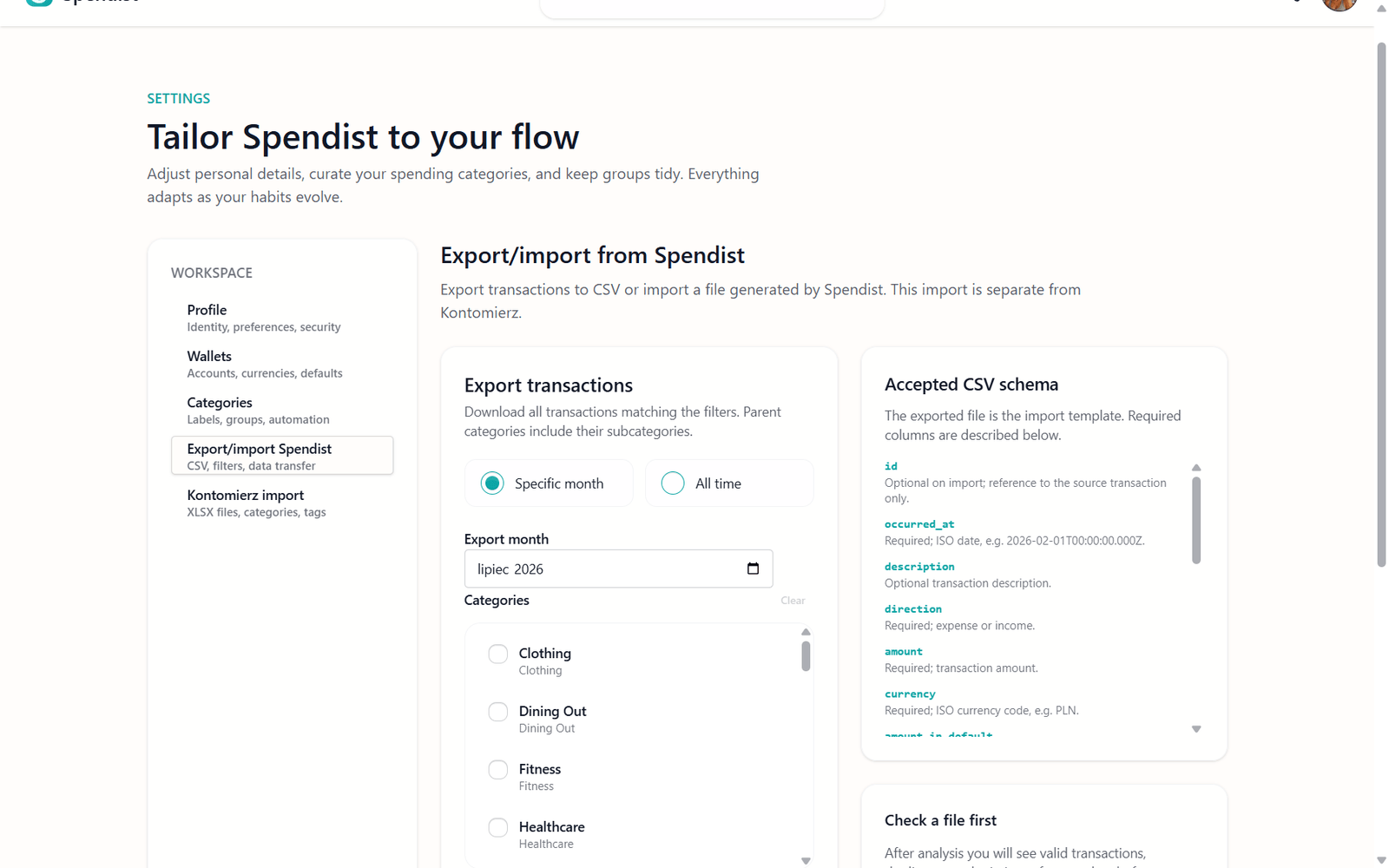
7. Import and export financial data
Spendist is designed to keep data portable.
The application supports:
importing a Kontomierz XLSX export,
importing Spendist CSV files,
exporting all or selected transactions to CSV,
filtering exported transactions,
reviewing possible duplicates before an import,
creating missing categories, groups, wallets and tags during import.
The Kontomierz option is a migration path for historical data. It is not a continuous connection to a bank account.
8. Manage an account securely
Spendist supports email and password registration, sign-in and sign-out, password recovery and password changes for authenticated users.
A profile can include a username, full name, timezone, preferred language, default currency and an avatar. Backend access policies keep financial records and notifications scoped to the correct user.
9. Receive notifications
Notifications are user-specific and update in real time. Current notification types include:
an automatically created recurring transaction,
the end of a recurring payment,
an exchange-rate synchronisation failure.
The menu displays recent records and an unread count. Displayed unread notifications can be marked as read together.
10. Choose Polish or English and a light or dark theme
Spendist is available in Polish and English. It remembers the selected language and can initially use a matching browser preference.
The app also supports light and dark themes and uses a responsive, mobile-first interface.
11. Read the public Spendist blog
The project also includes a public blog with separate Polish and English editions. Posts can be organised into category archives, shared through standard browser and social links, and followed through locale-specific RSS feeds.
Articles are published by Spendist Team.
Your data remains under your control
Ownership and portability are central ideas behind Spendist.
You can export all or selected transactions whenever you need them. This makes it possible to keep your own copy, analyse the records elsewhere or move them to another system.
As explained on the Spendist landing page, authenticated data is used to provide and secure the application. It is not sold or passed into public-page analytics, and Google Analytics is not used inside the signed-in app.
What does Spendist not do?
It is equally important to explain the current boundaries:
it does not continuously connect to a bank account,
it does not make transfers or pay bills,
it does not cancel subscriptions,
it does not forecast investment performance,
it does not replace professional financial advice,
it does not currently include an OCR receipt scanner.
Spendist records, organises and analyses financial information. The user remains responsible for financial decisions and real-world payments.
What comes next?
Spendist is under active development. At the time of publication, our main focus is stabilising the code and improving the reliability of existing features.
The roadmap will be updated as the project evolves. We also want future features to be shaped by community feedback and real user workflows.
If you find a problem, please report it through GitHub Issues. The most useful reports include:
a short description of the problem,
the steps needed to reproduce it,
the expected result,
a screenshot when it helps explain the issue,
the browser and device being used.
Why is Spendist looking for a sponsor?
Some planned features require considerably more resources than ordinary financial records.
An OCR receipt scanner is a good example. Reading text from photographs requires additional computing power, while the receipt images themselves need secure storage. As the number of users grows, these requirements create real infrastructure costs.
Spendist is therefore looking for a sponsor who can help fund resource-intensive features and the infrastructure needed to support them. Sponsorship is not intended to change the open nature of the project. It should make it possible to develop features that cannot be maintained responsibly on minimal infrastructure alone.
One expense is only a number. Together, they create the full picture
Spendist is not designed to judge how you spend money. Its purpose is to give you a clearer view of your household budget and the tools needed to make your own decisions.
You can begin with a few transactions, organise your categories, add recurring bills and gradually build a more complete picture of your finances.