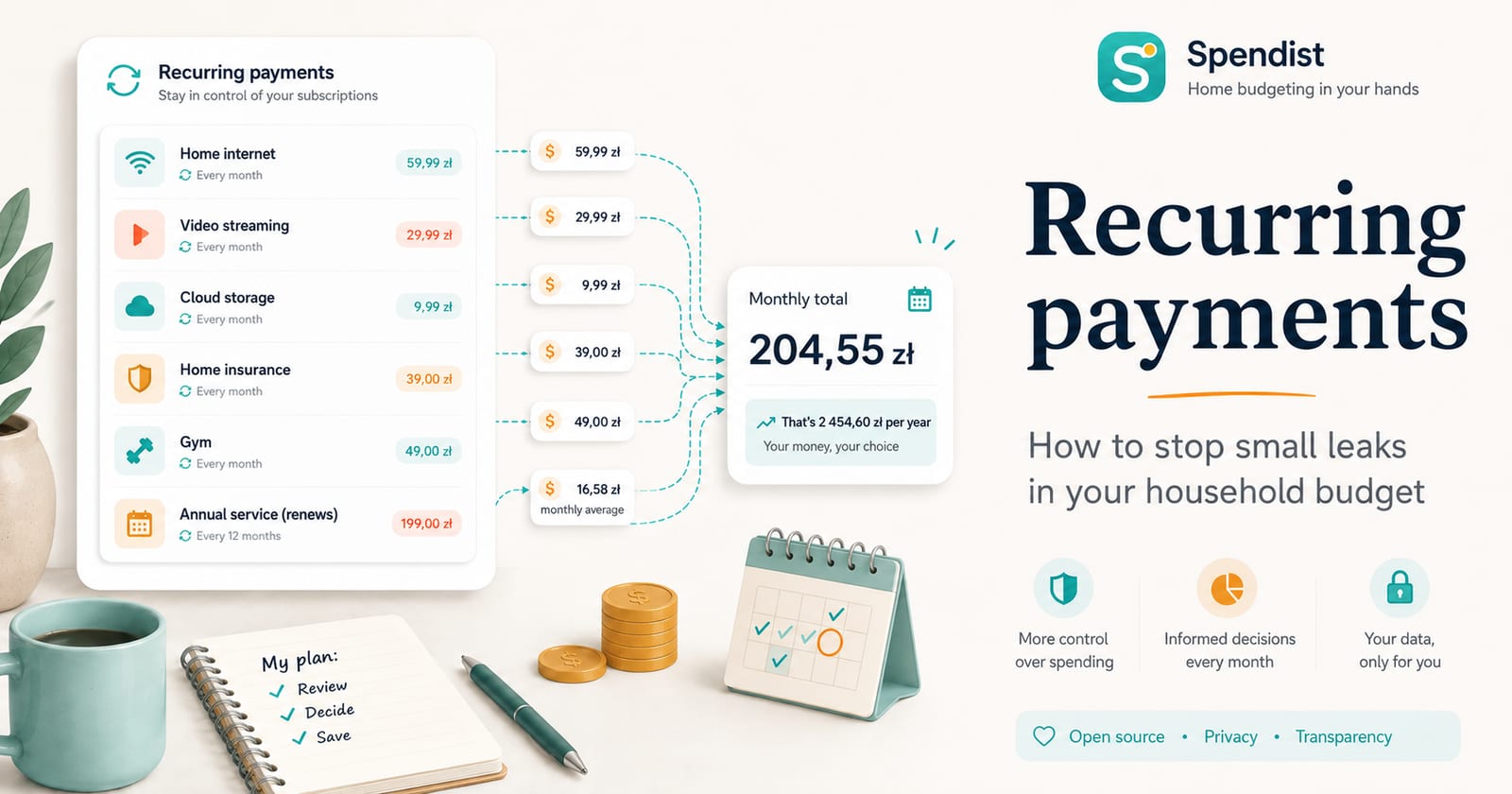
One subscription costing a few euros is unlikely to break a household budget. A second small charge may also go unnoticed. Add cloud storage, a fitness app, a streaming service, insurance, bank fees and an annual renewal, however, and the picture begins to change.
The problem is often not one large expense. It is a collection of small charges that repeat automatically and gradually disappear from our attention.
Spendist helps bring recurring payments together and show how they affect the wider household budget.
Why do subscriptions become difficult to control?
Recurring payments are convenient. We do not need to remember every bill or renew every useful service manually. That same convenience makes the charges easy to overlook.
Common problems include:
- a free trial becoming a paid subscription,
- a service that is rarely used anymore,
- several tools solving the same problem,
- a price increase hidden in an email,
- an annual renewal noticed only after the money is charged,
- a variable bill that was not included in the monthly plan,
- small fees charged to different cards and accounts.
Reviewing a bank statement every few months may not be enough. It helps to have one place that shows both recorded transactions and the commitments expected to repeat.
How does Spendist track recurring payments?
A recurring record in Spendist can represent either an expense or income. It can therefore cover a subscription, utility bill, salary or another regular payment.
Each record can include:
- a name and description,
- a fixed or variable amount,
- an income or expense direction,
- a schedule,
- a currency,
- a wallet,
- categories and tags,
- a start date,
- an optional end date.
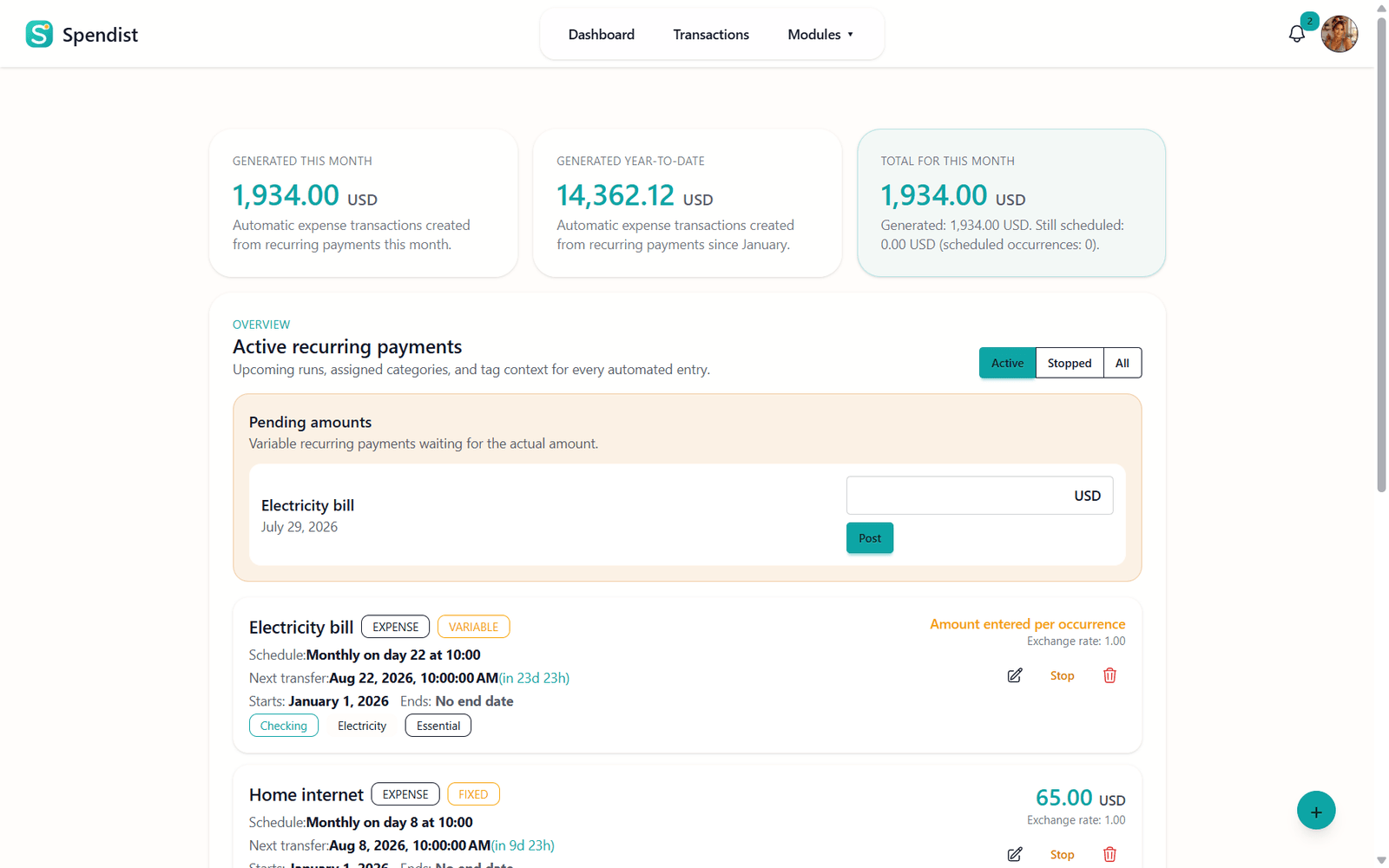
Recurring records can be created, edited, stopped and deleted. Filters make it possible to view active, stopped or all items separately.
Monthly planning and pending occurrences
A list of subscriptions is useful, but it does not fully answer the main question: how will regular commitments affect a particular month?
The recurring payments module includes a monthly plan and pending occurrences. This makes it possible to review expected costs before they appear among other transactions.
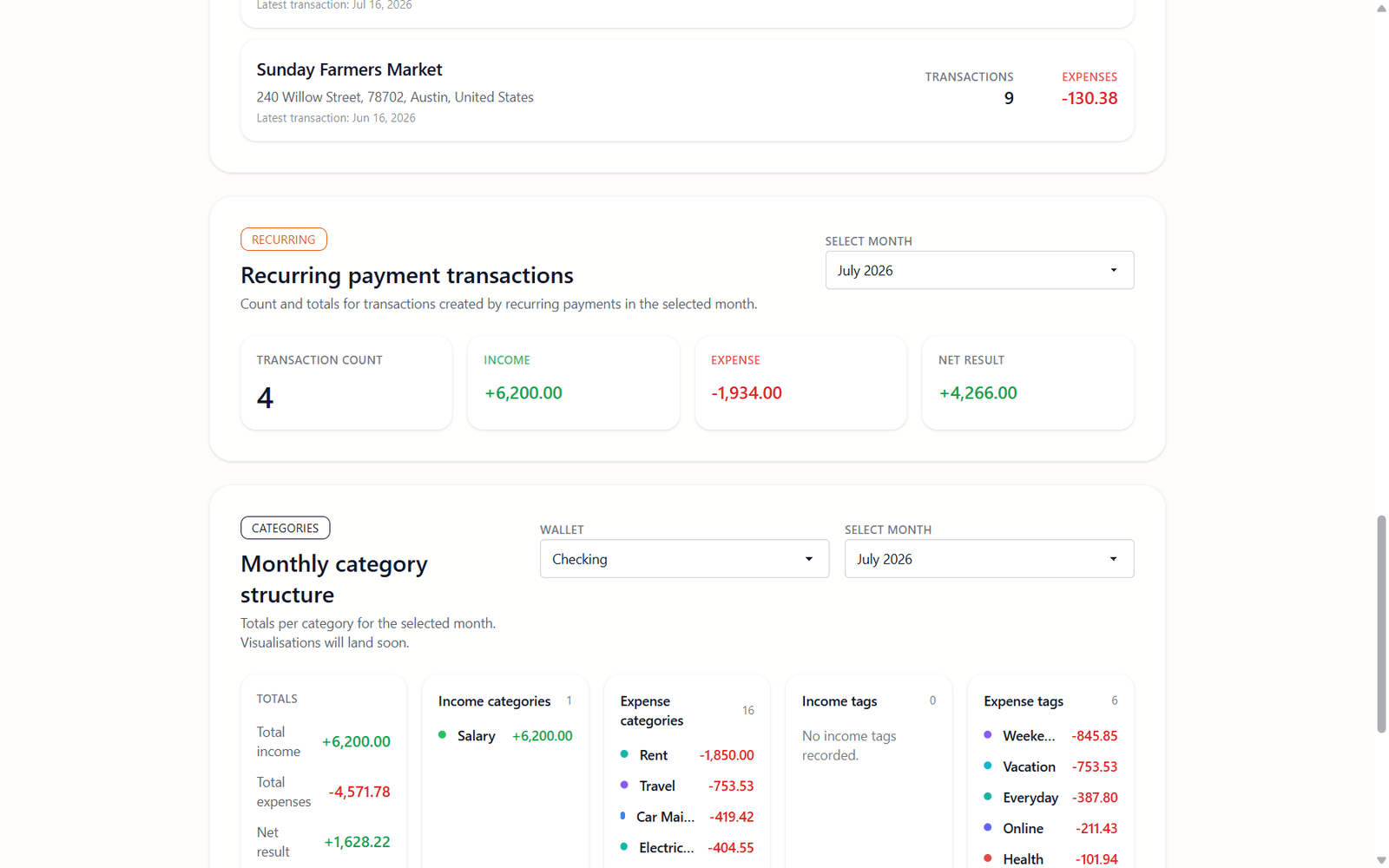
Statistics and category or tag summaries provide additional context. They can show how much regular spending goes towards entertainment, housing, software, education or any other categories created by the user.
Automatic transactions and notifications
When a scheduled occurrence becomes due, Spendist can create an ordinary transaction marked as automatic. It then appears on the transaction list and in the relevant dashboard summary.
The application can also display a notification when an automatic transaction is created or a recurring record reaches its end.
Creating a record does not mean that Spendist moved any money. The application:
- does not make payments,
- does not sign in to a bank,
- does not cancel subscriptions,
- does not contact service providers.
It records expected or completed activity inside the budget. The user can still adjust the amount, date or description if the real payment was different.
A simple monthly subscription review
No application can decide whether a service is still worth its price. It can make the review easier.
Once a month, consider asking:
- Do I still use every service I pay for?
- Are two subscriptions solving the same problem?
- Has the price of any service increased?
- Is a quarterly or annual charge due next month?
- Are variable bills close to the amounts recorded in my plan?
- Was a stopped subscription also cancelled with the real provider?
The final question matters. Stopping an item in Spendist does not cancel the real service. It only tells the application that the record should no longer be treated as active.
Your subscription data belongs to you
Regular spending can reveal a great deal about everyday life. The ability to retrieve and move that information should not be an optional extra.
Spendist lets users export all or selected transactions to CSV. You can keep your own copy, analyse the records in another tool or use them during a migration.
The source code is publicly available on GitHub, and technical users can deploy their own Spendist instance on infrastructure they control.
What do we want to develop next?
Our current focus is stabilising the application and improving the features that already work. The project roadmap will be updated as development continues.
We also want priorities to be shaped by community feedback. Not every impressive-looking feature solves a real problem, so we want to understand how people actually manage their budgets and what makes that work difficult.
Bugs can be reported through GitHub Issues. Users can also explain situations in which the current behaviour is unclear or inconvenient.
Receipt scanning and the need for a sponsor
An OCR receipt scanner is one of the features that could make expense entry faster in the future.
Such a module requires:
- image processing,
- additional computing power,
- secure storage for receipt photographs,
- control over infrastructure costs and privacy,
- handling recognition errors.
Spendist is therefore looking for a sponsor who can help fund the infrastructure required to develop and maintain more resource-intensive features.
Until a responsible funding model is available, we do not want to promise a release date for OCR. The feature first needs to be useful, secure and financially sustainable.
See what your regular commitments really cost
Tracking subscriptions is not about cancelling everything. It is about making a conscious decision: I know what I am paying for, I understand the combined cost and I still choose to spend that money.
Spendist helps bring those commitments into one place, connect them with the rest of the household budget and reveal expenses that previously disappeared among other transactions.
Open Spendist and add your first recurring payment.